
KernelSU 是 Android GKI 设备的 root 解决方案,它工作在内核模式,并直接在内核空间中为用户空间应用程序授予 root 权限。
本文安装以澎湃2,android13内核手机(不是安卓卓版本)为例。
一、前言
- 本教程仅适用于 Android 13 内核版本,比如
5.15.xx-android13-xxx。 - 如何查看内核版本:设置 — 我的设备 — 全部参数 — 内核版本。大于等于 13 内核的后续是 init-boot,低于 13 内核的则是 boot,提取和修补过程稍有区别,本教程以提取 init_boot 为例。
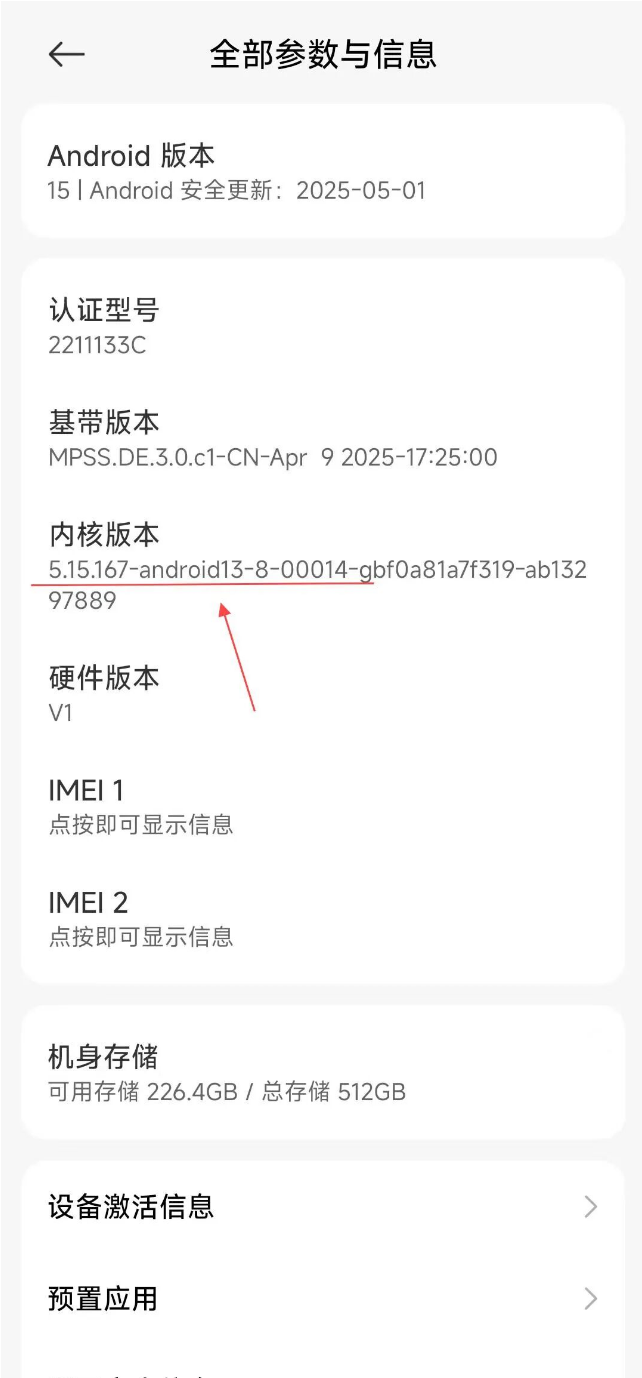
图1 安卓版本为Android15,内核版本为13
- 鉴于 KernelSU 的工作模式,理论上来说最好在 https://github.com/tiann/KernelSU/releases 下载软件检查是否支持,以及了解相关知识。鉴于 KernelSU 工作在内核模式,通过替换并直接在内核空间中授予 root 权限。但现在大部分都还是支持,但其实最简单的办法就是备份好
init_boot.img,失败时再回刷。
二、准备
miflash_unlock.exe。解BL锁。payload-dumper-go。用来提取 init-boot- 目前系统的完整的系统安装包。用来提取 init-boot
- KernelSU APK。KSU 管理器
adb-fastboot。修补文件
三、解BL锁
对于 MIUI 用户来说,在开发者选项 -> 设备解锁状态 -> 绑定账号和设备后通过 miflash_unlock.exe 解锁即可。澎湃用户则需要在小米社区答题。
四、提取 init_boot.img
对应系统版本有线刷包的可以直接下载线刷包,在 设备代号_images_OS版本号\images 地址下,找到 init_boot.img。卡刷则按照这个教程来进行。一定要留存 init_boot 文件做好备份。
五、修补 init_boot.img
1. 手机安装 KernelSU APK
提供 github 网址下载(https://github.com/tiann/KernelSU/releases/):
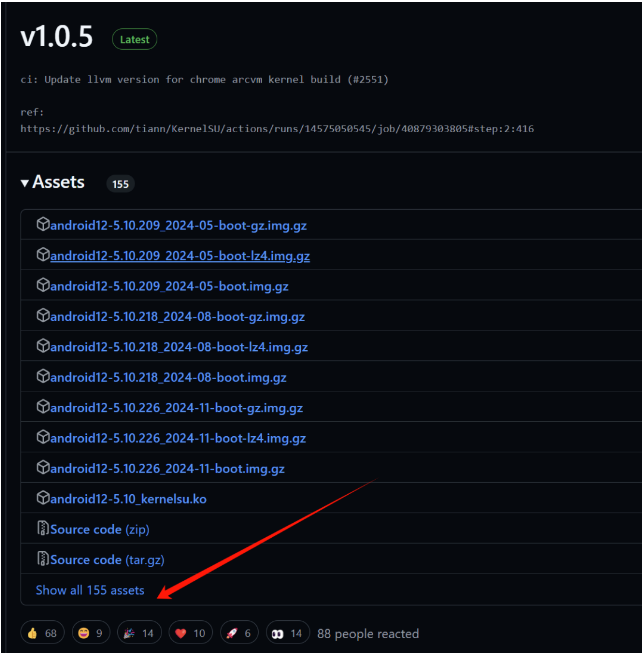
查看更多,选择 KernelSUxxx-release.apk。下载好后手机安装。
2. 生成修补文件
① 将 init-boot.img 复制到手机,其中 Download 文件最为方便(文件管理器左侧默认显示最近和下载内容)。
② 在 KSU app 进行修补。点击第一个按钮:
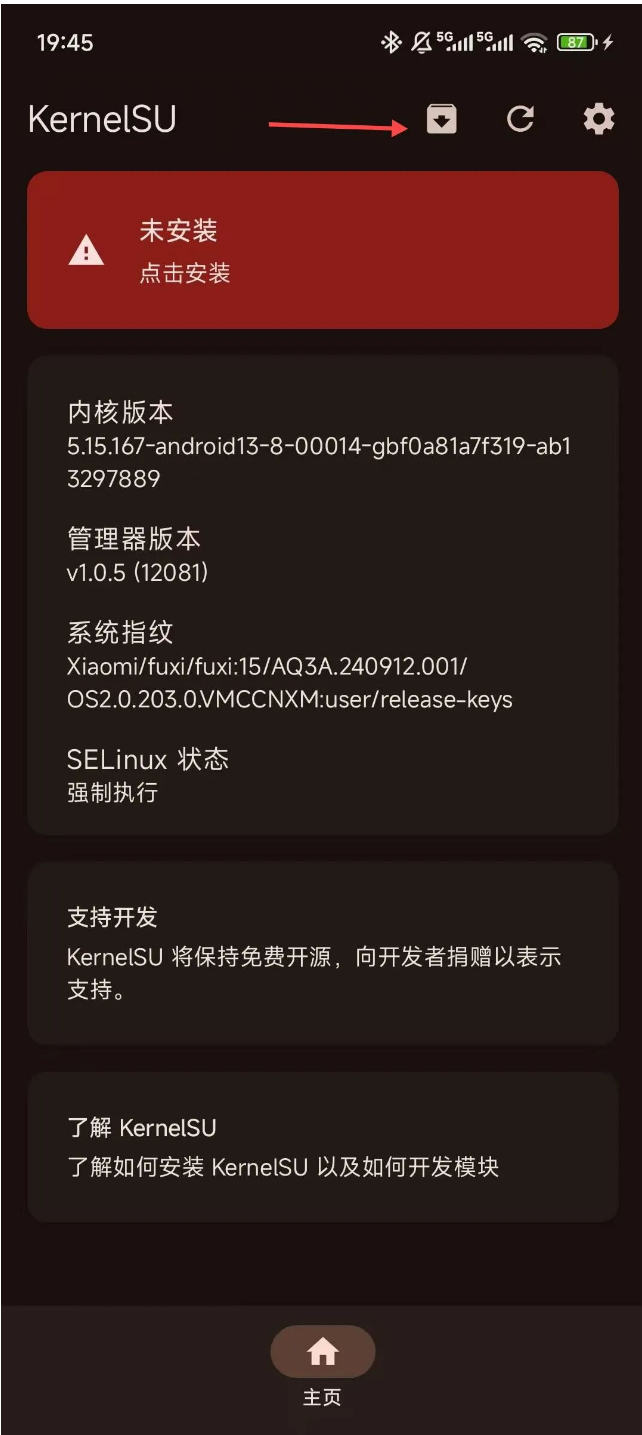
选择保存到手机的 init-boot:
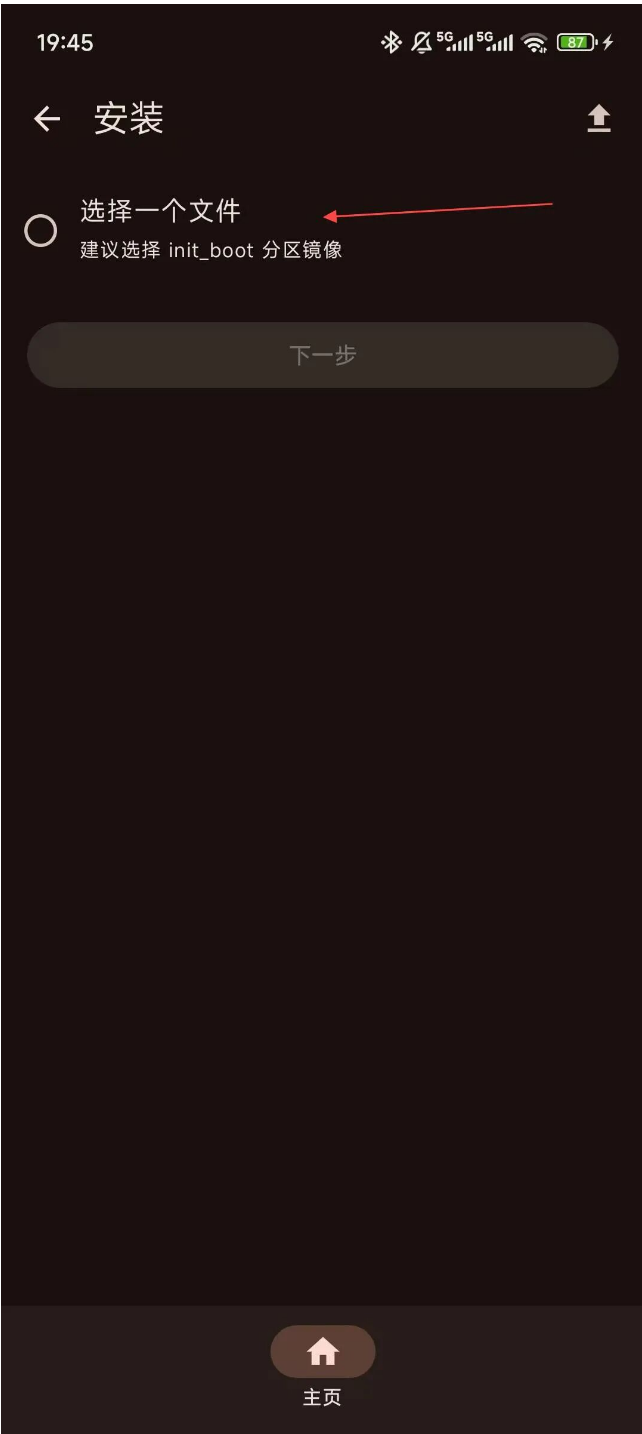
安装后有个文件地址:
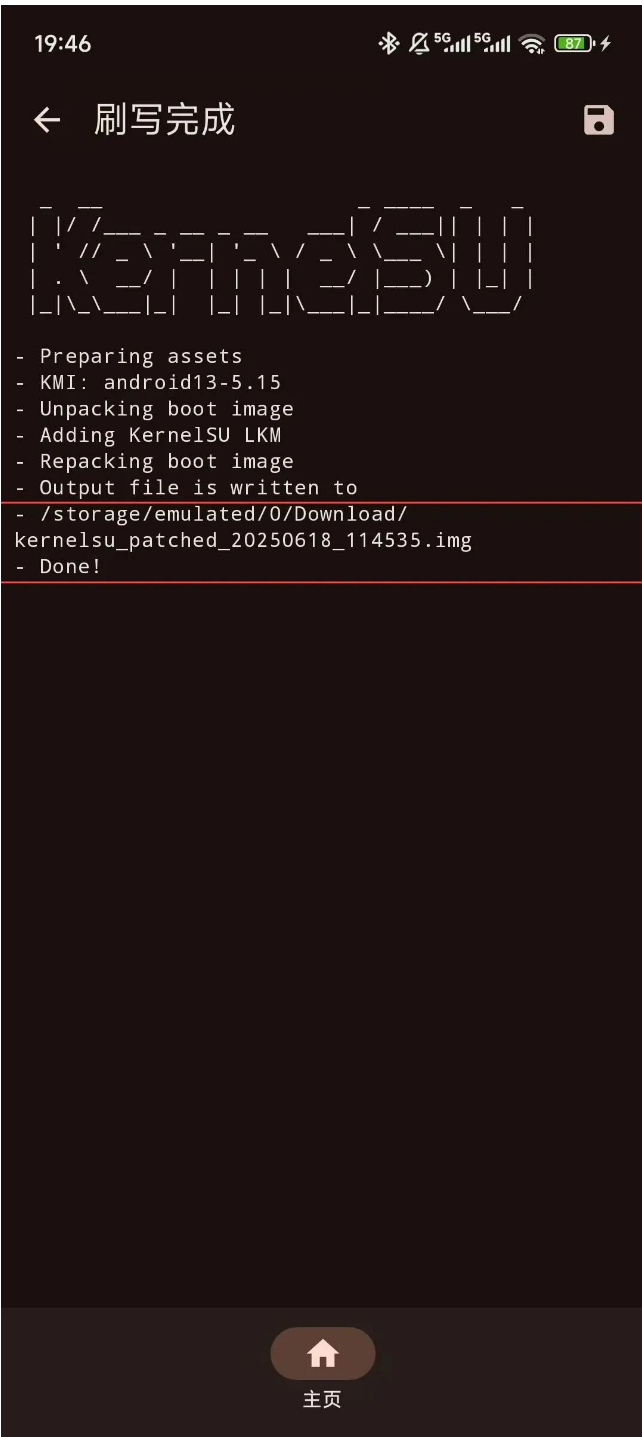
这个文件会下载到 download 文件夹。
3. 刷入修补文件
电脑上下载 adb-fastboot。需要配置环境变量。配置变量可以参考知乎上「m只会养老」(https://zhuanlan.zhihu.com/p/601165737)的教程。
建议找到直接打包好 adb 脚本的程序(例如 magisk 中文网 https://kernelsu.com/mi-init-boot.html)。本文也以此为例。
① 解压 adb-fastboot,将前面生成到 download 文件夹中的 kernelsu_patched_xxx_xx.xx.img 复制到 adb-fastboot 解压文件夹中:
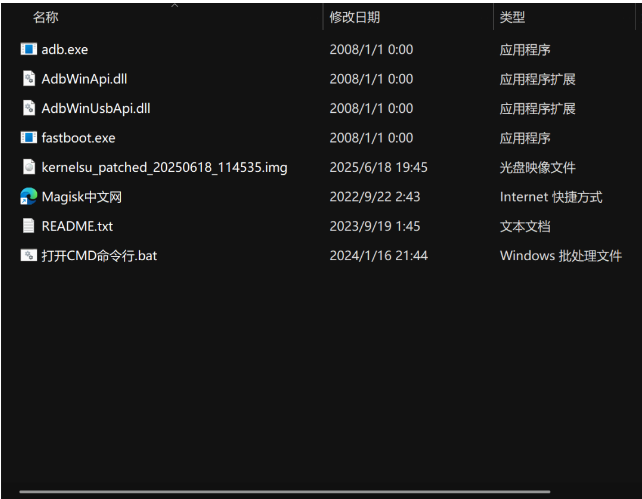
② 手机关机,电源键 + 音量下键,两个键长按直到手机进入 Bootloader 模式:

③ 打开 adb-fastboot 文件夹下的「打开CMD命令行.bat」,然后输入如下命令:
fastboot flash init_boot kernelsu_patched_xxx_xx.xx.img
kernelsu_patched_xxx_xx.xx.img 即前面生成的修补文件。修补文件每次生成的名字不同,记得和以往区分。
输入完后敲击回车:
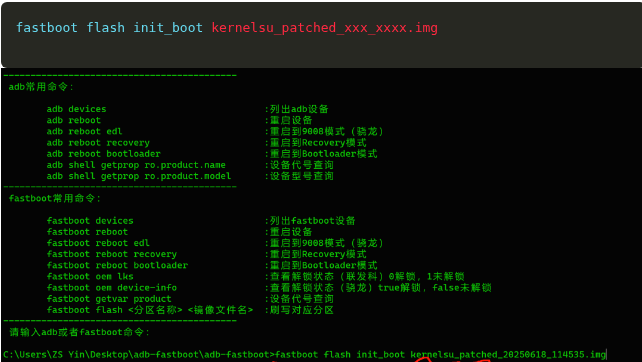

④ 此时显示 OKay 即完成。可以使用指令 fastboot reboot 重启手机。
注意:开头建议的 init_boot.img 保留一份在电脑是为了出现问题可以自救。如果刷入
kernelsu_patched_xxx_xx.xx.img产生问题,可以使用提取的 init_boot.img 通过 fastboot 的还原 init_boot 指令fastboot flash init_boot init_boot.img刷回去,恢复原版 init_boot。
参考链接
- 获取 root 权限超详细攻略:借助修补 init_boot.img 完成面具安装,onfix:https://onfix.cn/course/4756
- KernelSU,github:https://github.com/tiann/KernelSU/releases/
- 小米手机安装 KernelSU 教程(修补 init_boot.img),KernelSu 中文网:https://kernelsu.com/mi-init-boot.html
- KernelSU 开发者-安装,KernelSu - Android 上的内核级的 root 方案:https://kernelsu.org/zh_CN/guide/installation.html